
Your plan and your billing
What plan do you have, which modules are activated, and your invoices.
What it's for
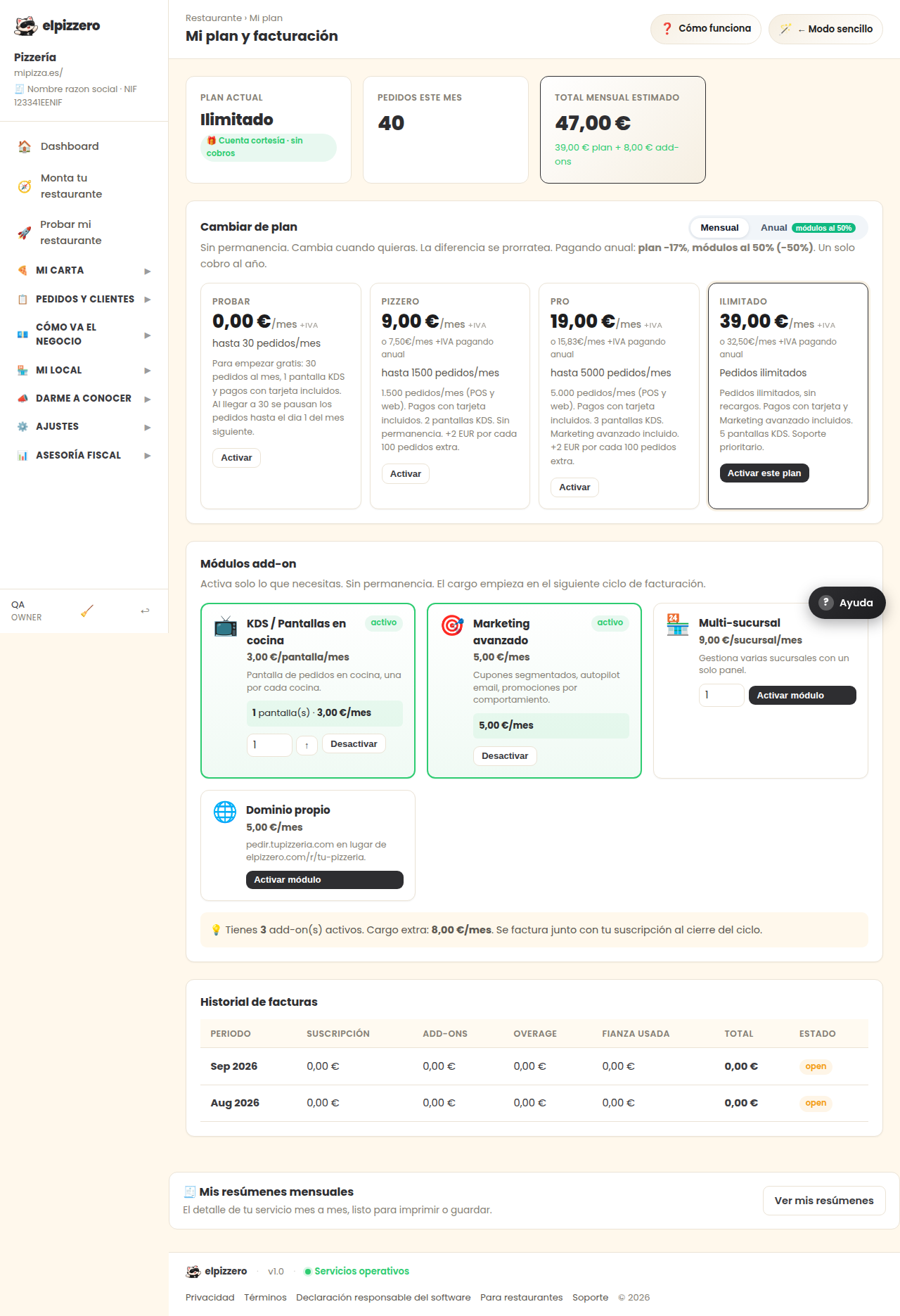
View and change your plan, activate individual modules, and download your invoices.
Change plan
No commitment: you can change whenever you want and the difference adjusts automatically for the remaining days. Paying annually is cheaper than monthly.
The modules
These are extras that are activated separately from the plan (marketing, additional kitchen screens, etc.). Each has its price and can be removed when no longer needed. No module is required to sell: the basic plan already includes the menu, orders, and POS.
Your invoices
Below, to download. If it says "No invoices yet," it means you haven't been charged anything yet.
View all buttons and fields on this screen
What you'll find on this screen
- Change plan
- Add-on modules
- Invoice history
- No invoices yet
What it asks for, field by field
| Field | Type | Detail |
|---|---|---|
| quantity | number |
What each button does
| Button | What it's for |
|---|---|
| Complete payment → | |
| Monthly | |
| Annual modules at 50% | |
| Activate | |
| Activate module | |
| Deactivate | |
| View my summaries |