
Write an article
The article editor, with its cover image and its data for search engines.
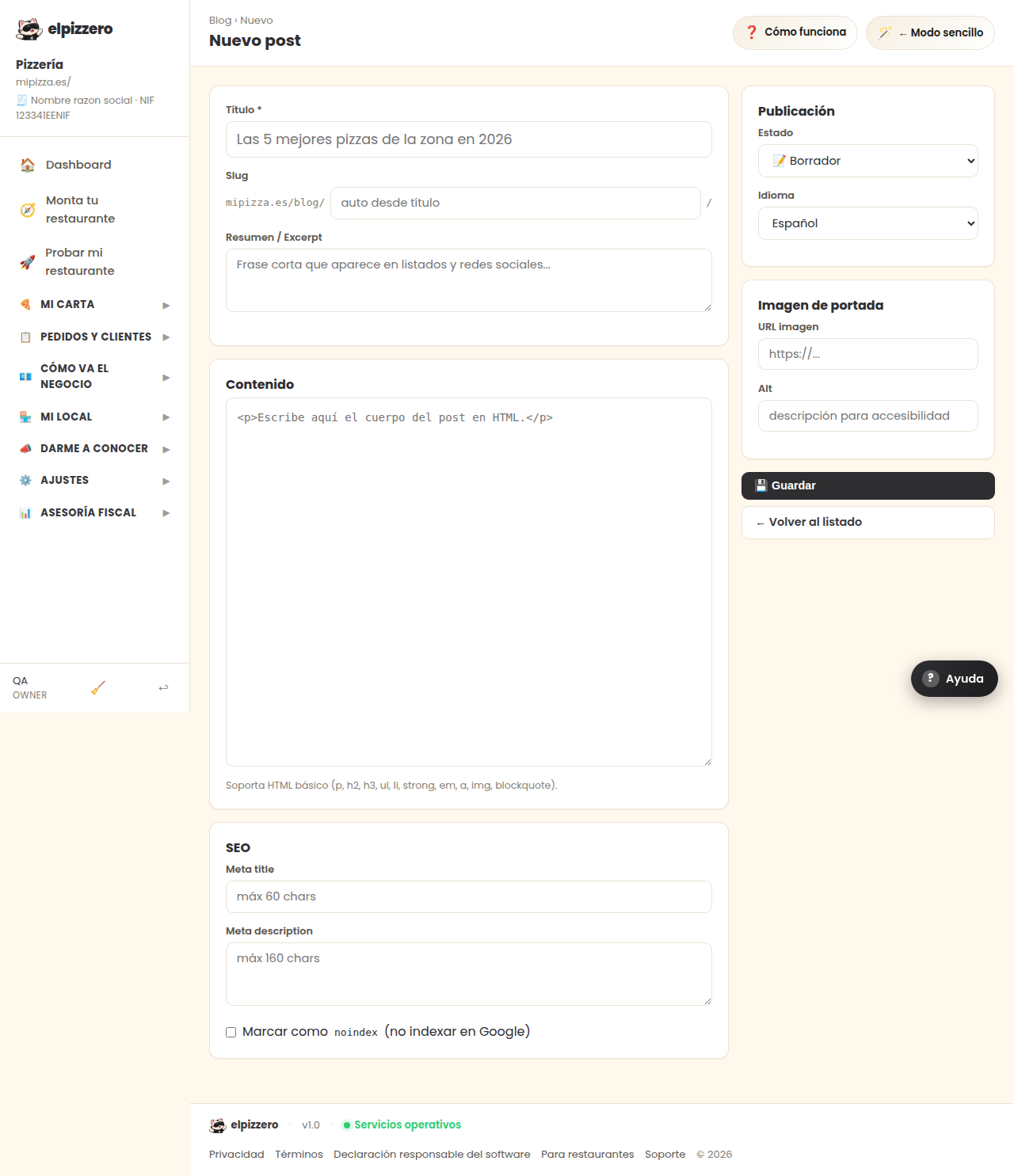
The four parts
- Content: the title and the text. Supports bold, lists, links, and images.
- SEO: the title and description that appear on Google. If left empty, the article title is used.
- Publication: whether it is published now, saved as a draft, or scheduled.
- Cover image: the photo that accompanies the article.
Practical advice
Write about what people are really searching for: “where to eat pizza in [your town]”, “daily menu”, “order delivery in [your area]”. A short and honest article is worth more than ten fillers.
View all buttons and fields on this screen
What you will find on this screen
- Content
- SEO
- Publication
- Cover image
What it asks for, field by field
| Field | Type | Detail |
|---|---|---|
| The 5 best pizzas in the area in 2026 | text | |
| auto from title | text | |
| Short phrase that appears in listings and social media... | long text | |
| <p>Write the body of the post here in HTML.</p> | long text | |
| max 60 chars | text | |
| max 160 chars | long text | |
| Mark as noindex (do not index on Google) | checkbox | |
| status | dropdown | Options: 📝 Draft, ⏰ Scheduled, 🚀 Published, 🗄 Archived |
| locale | dropdown | Options: Español, English, Català, Français, Deutsch, Italiano, Português |
| https://... | link | |
| description for accessibility | text |
What each button does
| Button | What it is for |
|---|---|
| 💾 Save | |
| ← Back to the list |