
Report by period
How much have you invoiced between two dates, with a comparison against the previous period?
What it's for
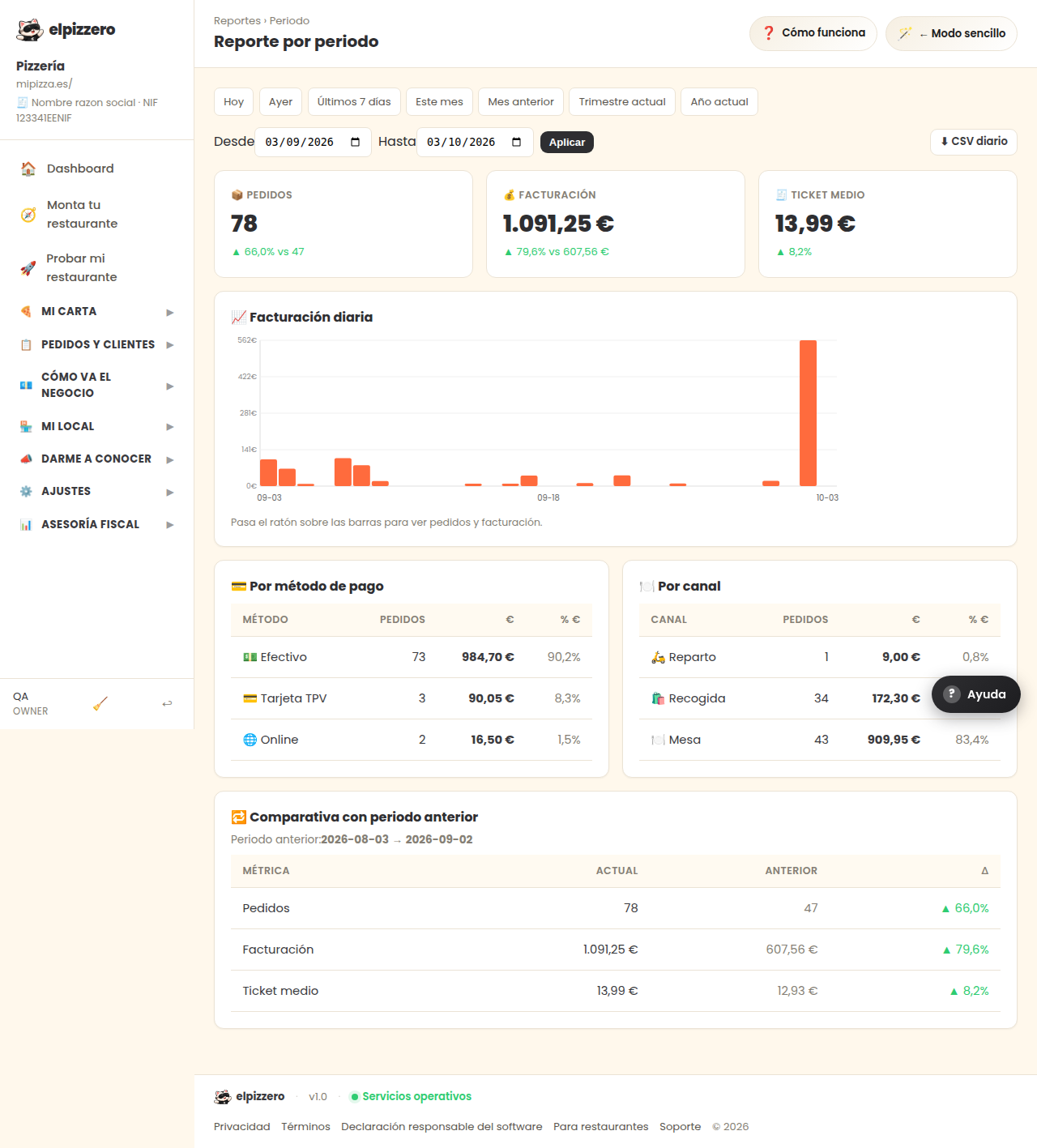
See how the business is doing over a period of time: a month, a week, the Christmas campaign. You choose the two dates and click “Apply”.
Most useful: the comparison
Below it automatically compares you with the previous period of the same duration. If you look from the 1st to the 30th of this month, it compares it with the 30 days before. It's the honest way to know if you are growing: comparing one month with the previous one, not with a random good day.
The graph
Each bar represents a day. Hovering over it shows you the orders and money for that day. It helps to see at a glance which days of the week are slow.
View all buttons and fields on this screen
What you'll find on this screen
- 📈 Daily revenue
- 💳 By payment method
- 🍽️ By channel
- 🔁 Comparison with previous period
What it asks for, field by field
| Field | Type | Detail |
|---|---|---|
| From | date | |
| To | date |
What each button does
| Button | What it's for |
|---|---|
| Apply | |
| ⬇ Daily CSV |