
Notices on your menu
A short message above your menu: "we are looking for a delivery person," "we close on the 20th." With an option for people to sign up.
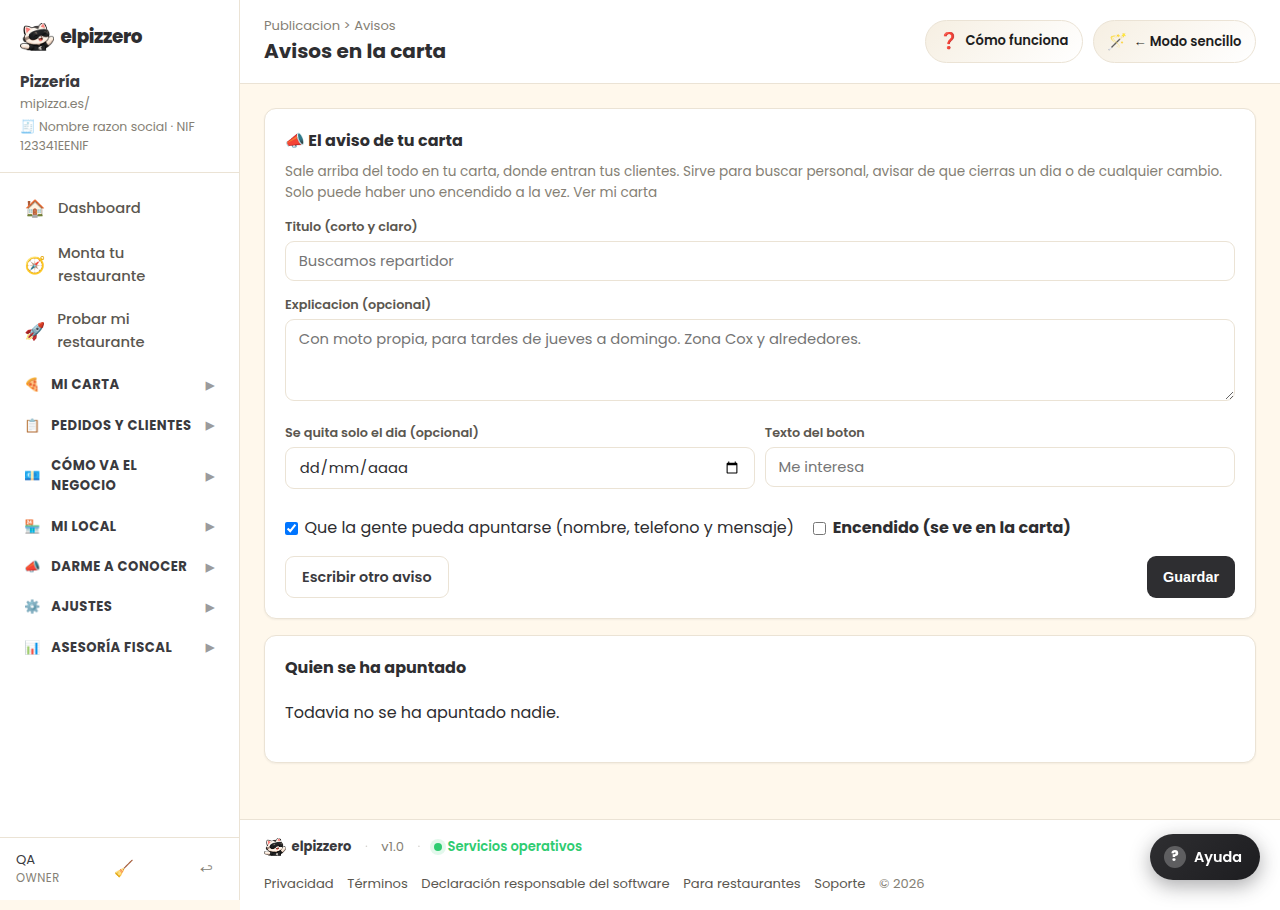
What it’s for
To tell something to those entering your menu. It appears at the very top, in a yellow strip that is visible as soon as you open it. It serves to look for staff, notify that you are closing on a certain day, or any changes.
How to set it up
- Write a short and clear title (“We are looking for a delivery person”).
- If necessary, a brief explanation of a couple of lines.
- If you want them to sign up, check the box and put the button text (“I’m interested”).
- Check “On” and save. In less than a minute it will be on your menu.
It will remove itself
You can set an end date. That night it will disappear without you having to remember. If you don’t set a date, it will stay until you turn it off.
Who has signed up
At the bottom of this same screen. For each person, you will see their name, their phone (which can be pressed to call), and their message. You will also receive an email as soon as someone signs up.
About the data of those who sign up
Those filling out the form must check a box agreeing that you keep their name and phone number to contact them. It is recorded with the date, in case it needs to be proven someday. When deleting a notice, its responses are also deleted.
View all buttons and fields on this screen
What you will find on this screen
- 📣 The notice on your menu
- Who has signed up
What it asks you, field by field
| Field | Type | Detail |
|---|---|---|
| We are looking for a delivery person | text | |
| With own motorcycle, for Thursday to Sunday afternoons. Cox area and around | long text | |
| ends at | date | |
| I’m interested | text | |
| That people can sign up (name, phone, and message) | checkbox | |
| On (visible on the menu) | checkbox |
What each button does
| Button | What it’s for |
|---|---|
| Write another notice |