
How do you find out about the orders?
How should we notify you when an order arrives: email, reception app, or a phone call?
What it's for
It’s useless to receive orders if you don’t get notified. Here you choose how we notify you and check that it works before it’s needed.
Find your device in this table
| What you have | How you get notified | Does it ring automatically? |
|---|---|---|
| 📱 Android mobile, tablet, or Sunmi POS |
Reception App downloaded right here, in "Applications" |
✅ Yes and keeps ringing until you attend to it |
| 🍎 iPhone or iPad | Reception in the browser added to the home screen |
✅ Yes one notification per order |
| 💻 Computer Windows, Mac, or Linux |
Reception in the browser | ✅ Yes even if you have the window behind |
| ✉️ Any | Email always, without configuring anything |
❌ No you have to check the inbox |
| ☎️ Any phone | Alert call only if you accept manually |
✅ Yes we call you before it gets canceled |
We’ll make it clear, because it’s the question that’s hardest to find: our applications are for Android. There is no application for iPhone and iPad. That does not mean you can’t get notified — it means it’s done differently, and works just as well.
If you are using iPhone or iPad: three taps, one time only
- 1Open Reception in the browser on your iPhone or iPad.
- 2Tap Share and then "Add to Home Screen". A new icon will appear, as if it were an app.
- 3Open Reception from that icon and tap "Notify me of orders".
And in more detail, each one
- Reception App — only Android. It stays open on a tablet or mobile and rings even if the device is locked. It’s the most reliable of all: if you have any Android at home, it’s the one we recommend.
- Reception in the browser — any device. Open it and tap "Notify me of orders". From then on, it notifies you even if you close the tab.
- Email — it always arrives, without touching anything. Make sure the address shown is one you actually check, not one you open once a month. Email is the backup, not the notification: it doesn’t ring.
- Alert call — if no one accepts the order in a few minutes, we call you by phone. It works on any mobile, regardless of the system, because it’s a normal call.
And the ticket, does it print automatically?
This also depends on the device, and it’s better to know it before a Friday night:
| With what you print | Does it print automatically? |
|---|---|
| 🖨️ Sunmi POS (Android) | ✅ Prints automatically, no one touches anything |
| 🖥️ The Windows program | ✅ Prints automatically, no one touches anything |
| 🍎 iPhone, iPad, or browser | ⚠️ The print dialog opens and you have to hit Print: one tap per order. You need an AirPrint or network printer |
The need for that tap is neither our fault nor Apple’s: no browser can print without a person confirming it. It’s a protection that all browsers have, because otherwise any website could drain your toner.
Test it before you need it
- 1Tap "Test call now" on the first day if you are going to accept manually.
- 2Place an order for yourself from your own menu and watch: you will see the notification arrive for real.
Finding out that the notification doesn’t work on a Friday at nine in the evening is the worst possible way to discover it.
See all the buttons and fields on this screen
What you will find on this screen
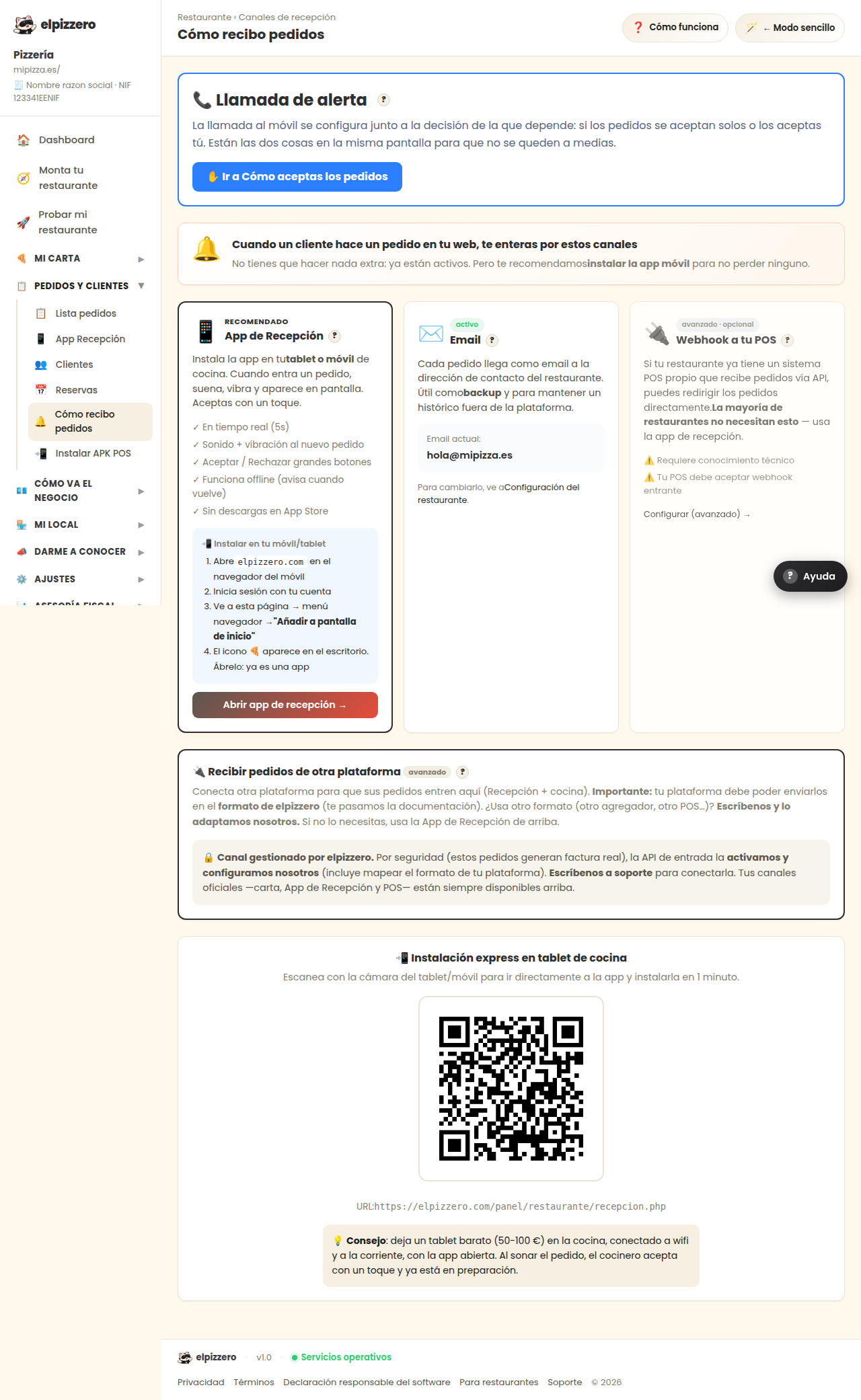
- 📞 Alert call ?
- When a customer places an order on your website, you get notified through these channels
- Reception App?
- Email?
- Webhook to your POS?
- 🔌 Receive orders from another advanced platform?
- 📲 Express installation on kitchen tablet
What it asks you, field by field
| Field | Type | Detail |
|---|---|---|
| Activate alert call | checkbox | |
| +34600111222 | phone |
What each button does
| Button | What it’s for |
|---|---|
| ? | |
| 💾 Save | |
| 🔔 Test call now | |
| 📋 Copy | |
| Open reception app → |