
Reception: accept incoming orders
The screen that sounds when an order comes in and lets you accept or reject it. It stays open on a tablet.
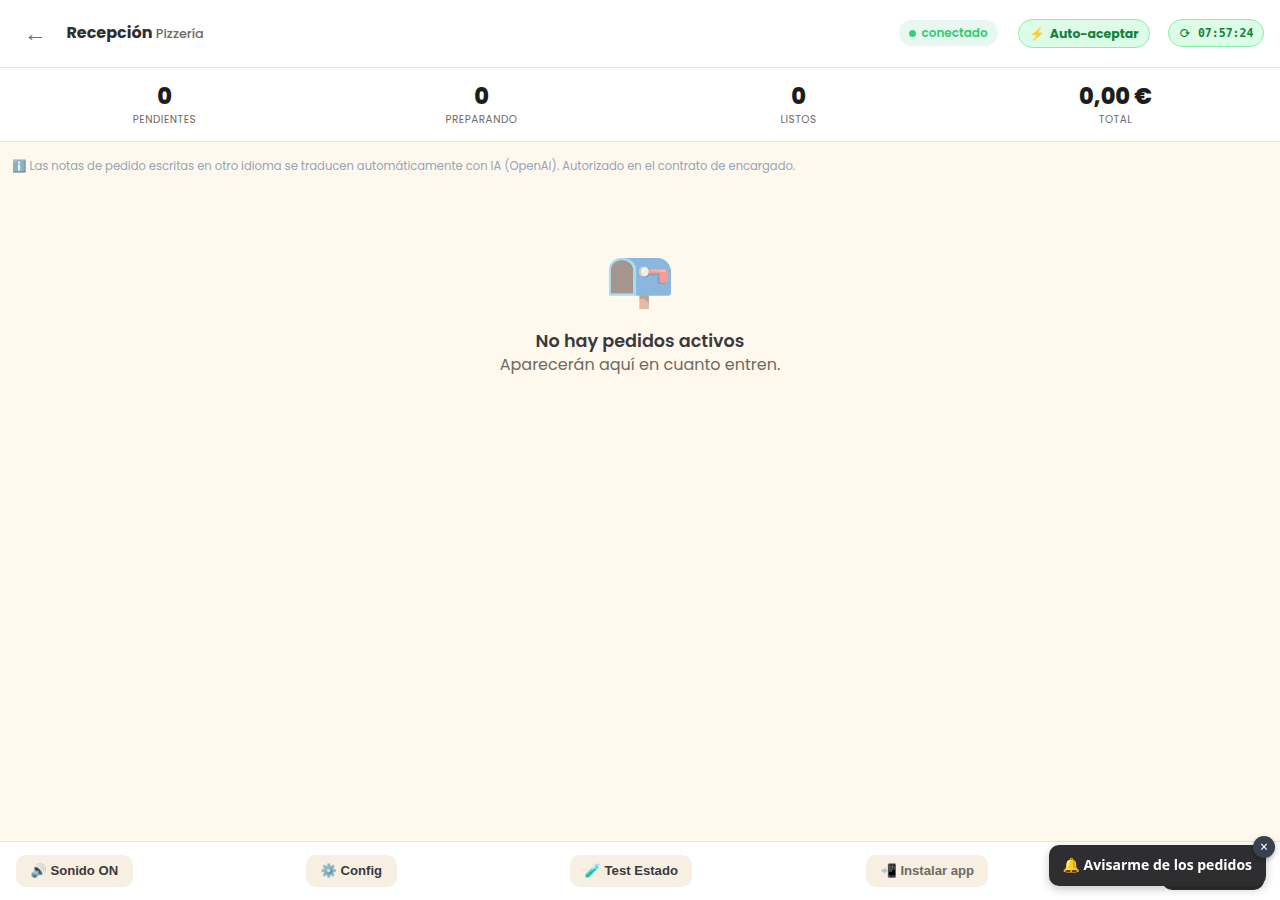
What it’s for
It’s the restaurant bell. It stays open on a tablet or mobile and rings and flashes as soon as an order comes in through the web. From there you can accept or reject it.
First: activate the sound
Browsers don’t allow any sound until someone taps the screen once. That’s why when you open it, a notice appears: “Tap here to activate the sound alarm”. Always tap it at the start of your shift, or the screen will remain silent and very quiet.
At the top, you have “🔊 Sound ON” to quickly check that it’s active.
The buttons at the top
- 🔊 Sound: turns the alarm on or off.
- ⚙️ Config: the settings for this screen.
- 🧪 Test Status: sends a test order to check that everything is working.
- ↻ Reload: refreshes, in case you suspect it has frozen.
Do you need this screen?
Only if you accept orders manually. If you have automatic acceptance, orders go directly to the kitchen and this is not needed.
If you use it, make sure it’s on a tablet plugged into the power and with the screen always on. A tablet that turns off by itself means an order that no one sees.
View all buttons and fields on this screen
What each button does
| Button | What it’s for |
|---|---|
| 🔊 Sound ON | Sound when receiving an order |
| ⚙️ Config | Auto-accept orders without manual confirmation |
| 🧪 Test Status | Verifies that all subsystems are OK before opening for the day. |
| ↻ Reload |