
Order list
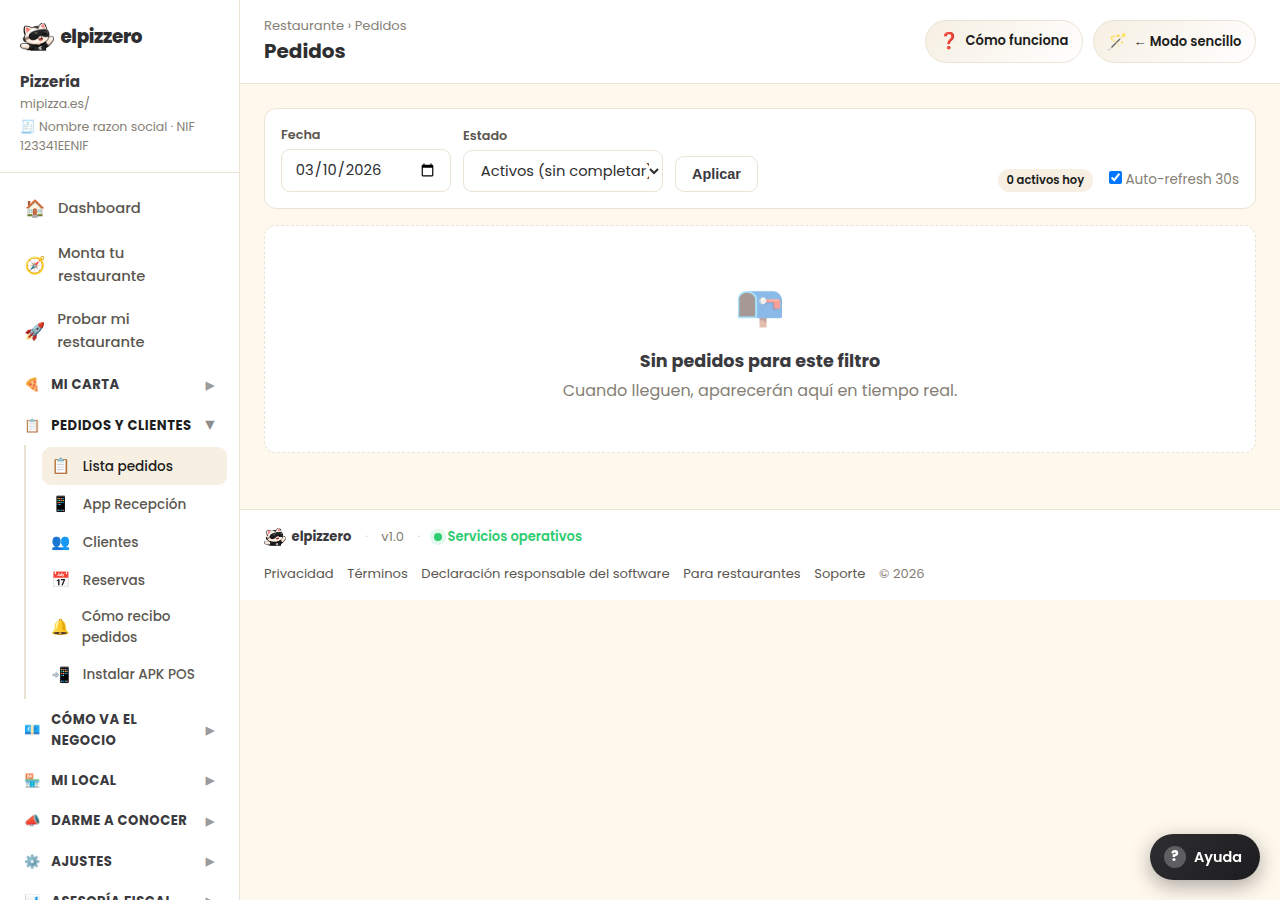
All the orders that come in, with their status. It updates automatically while you have it open.
What it's for
It's the list of everything that has come in: through the web, by phone, or through the POS. Orders appear here as soon as they come in, without reloading the page.
How to search for an order
- Select the date.
- Select the status if you want to narrow it down (pending, in preparation, delivered, canceled).
- Click “Apply”.
If it says “No orders for this filter” and you know there are, it's usually because the date is set to another day.
The “Auto-refresh 30s” switch
Keep it on: it makes the list refresh automatically every half minute. This is what allows a new order to appear without you having to do anything.
This screen is for consultation. To manage orders as they come in, the convenient option is the Reception app or the POS: they sound and can be handled with one finger.
View all buttons and fields on this screen
What it asks you, field by field
| Field | Type | Detail |
|---|---|---|
| date | date | |
| status | dropdown | Options: All, Active (incomplete), Pending, In preparation, Ready, Delivered, Canceled |
| Auto-refresh 30s | checkbox |
What each button does
| Button | What it's for |
|---|---|
| Apply |