
Notifications: where we notify you
Email, Telegram, and the reception app. And what notifications do you want to receive for each thing?
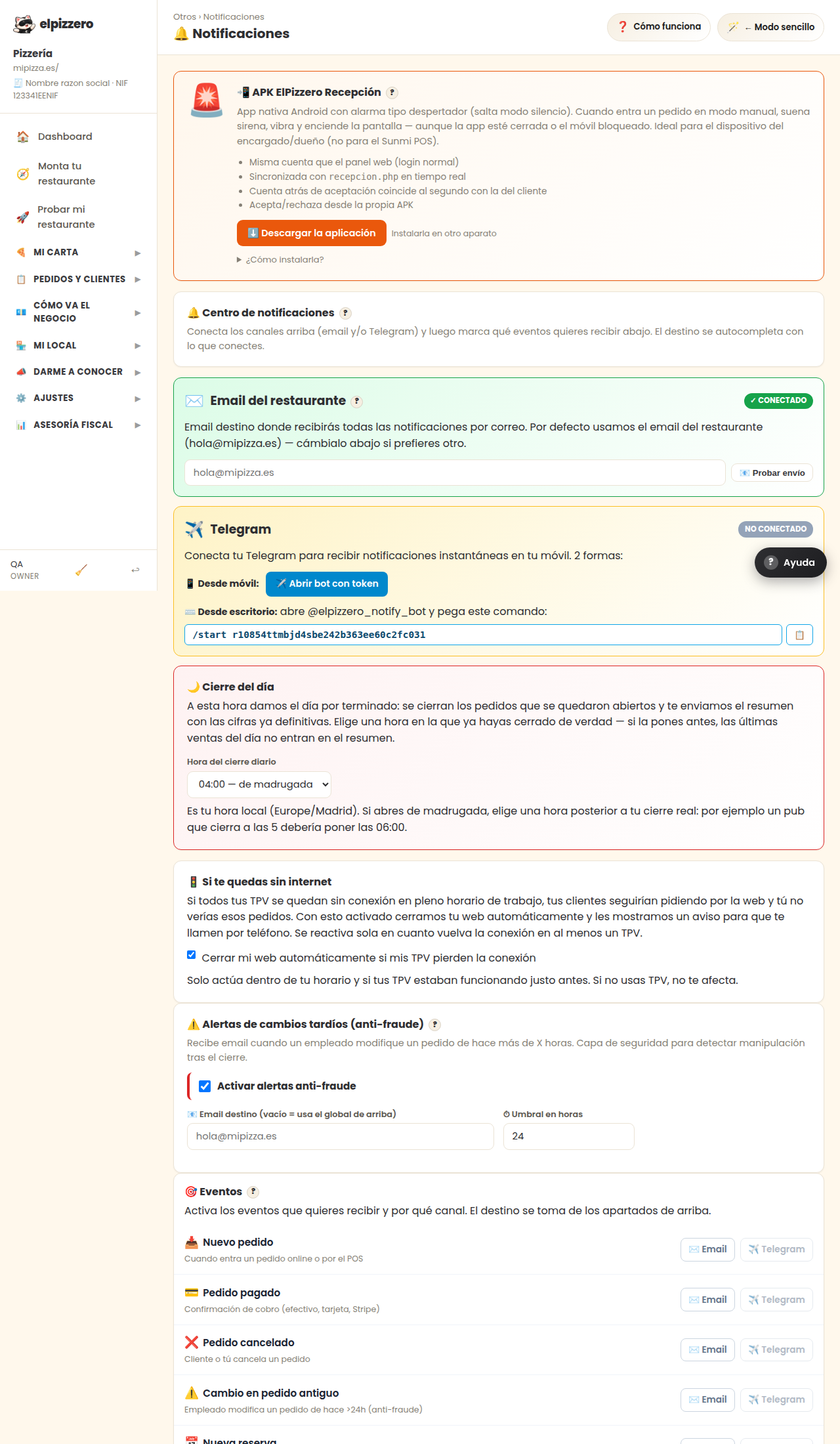
What it's for
Choose how we notify you and about what. There are two steps: first, connect the channels, then select the events.
The channels
- Reception App: the most reliable for orders. It has an alarm like a clock and it sounds even if the phone is on silent.
- Email: you receive notifications via email. There’s a “📧 Test send” button: use it, it’s the way to know it doesn’t end up in the spam folder.
- Telegram: if you use it, notifications to your phone instantly and for free.
Notifications you can receive
- Daily close: a summary of the day at night.
- If you lose internet: it notifies you when your connection drops, which is just when you stop receiving orders without realizing it.
- And notifications for each order.
Make sure the email shown is one you actually check.
Many lost notifications are simply emails going to an account that no one opens.
View all buttons and fields on this screen
What you’ll find on this screen
- 📲 APK ElPizzero Reception?
- 🔔 Notification center?
- Restaurant email?
- Telegram
- 🌙 Daily close
- 🚦 If you lose internet
- ⚠️ Late change alerts (anti-fraud)?
- 🎯 Events?
- 📥 New order
- 💳 Paid order
- ❌ Canceled order
- ⚠️ Change in old order
What it asks you, field by field
| Field | Type | Detail |
|---|---|---|
| angelrivesg@gmail.com | repeats 2 times on the screen | |
| daily close hour | dropdown | Options: 00:00 — midnight, 01:00 — early morning, 02:00 — early morning, 03:00 — early morning, 04:00 — early morning, 05 |
| Automatically close my website if my POS lose connection | checkbox | |
| Activate anti-fraud alerts | checkbox | |
| alert late changes hours | number |
What each button does
| Button | What it’s for |
|---|---|
| ? | |
| ⬇️ Download APK (2.9 MB) | |
| 📧 Test send | |
| 📋 | |
| 💾 Save configuration |