
Ticket templates
How the paper looks: header, body, and footer. And the numbering of the orders.
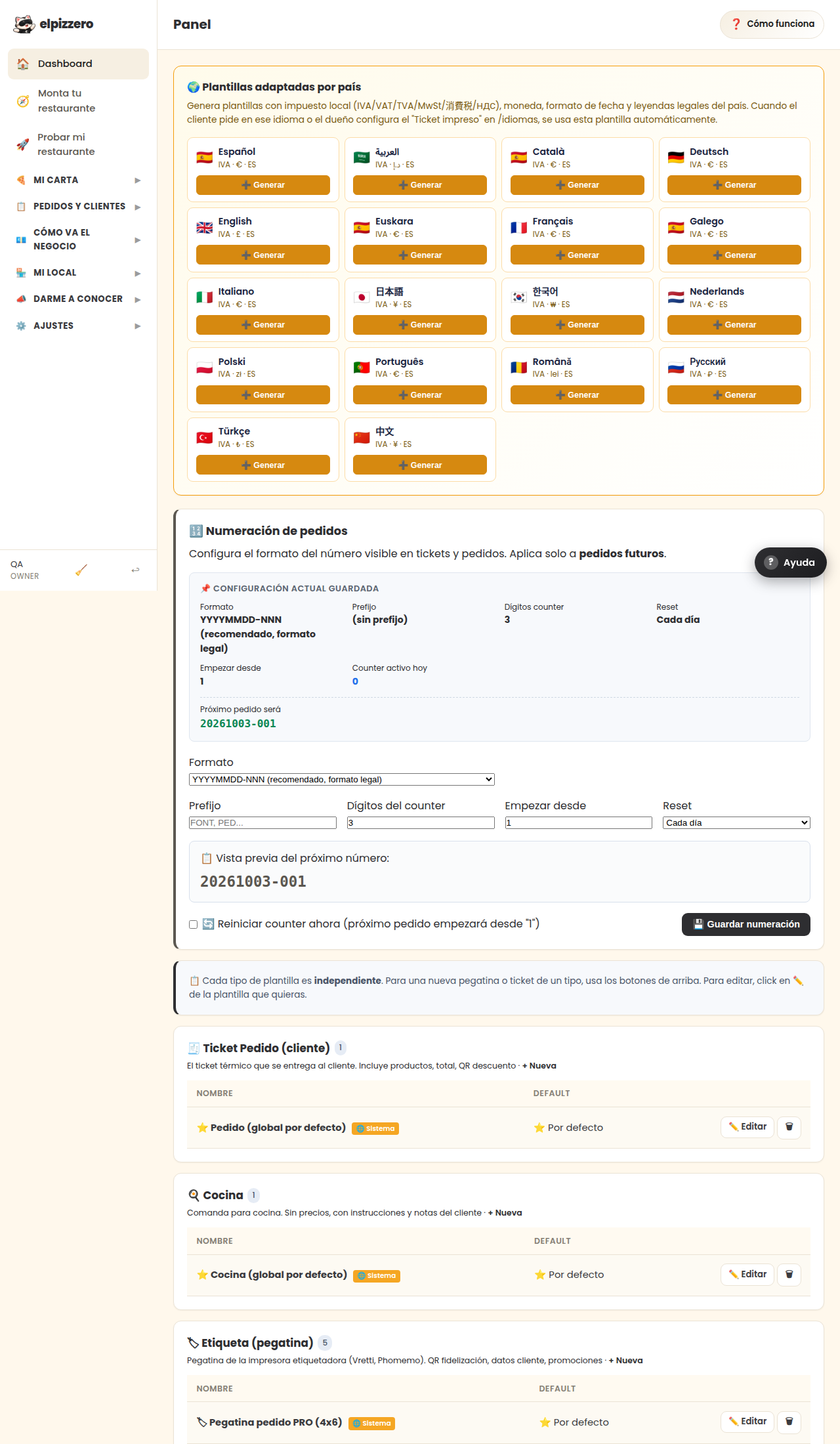
What it's for
Defines the appearance of each paper you print. You will usually have several:
- Customer Ticket: with prices, totals, and QR codes.
- Kitchen Order: without prices and with large dish names.
- Label: the sticker for boxes or bags.
The variables
In the text, you can include things that fill in automatically, like the customer's name or the order number. They are written in curly braces and are already included in the example templates: the easiest way is to start from one and change what you want.
Order numbering
The format of the number that appears on the ticket. Only affects future orders: those that already exist keep their own.
Change little and try printing. Each printer model behaves differently with accents, paper width, and cutting: it needs to be seen on paper, not on the screen.
View all buttons and fields on this screen
What you'll find on this screen
- 🌍 Country-specific templates
- 🔢 Order numbering
- 🧾 Customer Ticket (1)
- 🍳 Kitchen (1)
- 🏷 Label (sticker) (5)
What it asks for, field by field
| Field | Type | Detail |
|---|---|---|
| Format YYYYMMDD-NNN (recommended, legal format) YYYYMM-NNN (monthly format) | dropdown | Options: YYYYMMDD-NNN (recommended, legal format), YYYYMM-NNN (monthly format), NNN (only sequential), PREFIX-NNN ( |
| Prefix | text | |
| Counter digits | number | |
| Start from | number | |
| Reset Daily Monthly Yearly Never (infinite sequential) | dropdown | Options: Daily, Monthly, Yearly, Never (infinite sequential) |
| 🔄 Reset counter now (next order will start from "1") | checkbox |
What each button does
| Button | What it's for |
|---|---|
| ➕ Generate | |
| 💾 Save numbering | |
| ✏️ Edit | |
| ☆ Default | Mark as default |