
How you charge your customers
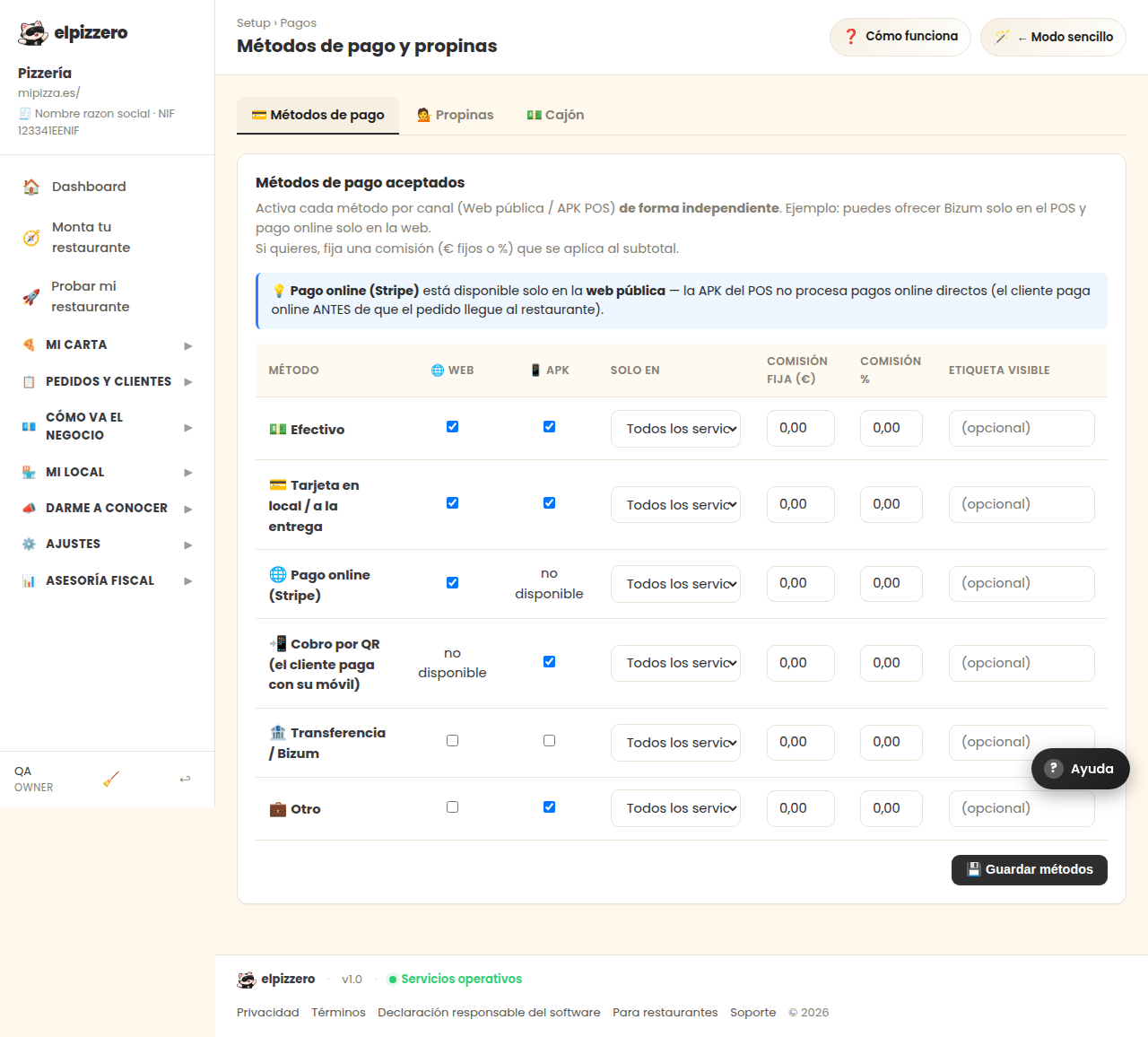
What payment methods do you accept? What you enter here is what the customer sees when paying.
What it's for
Mark what you really accept. What you leave on will be exactly what appears to the customer at the time of payment, so turning on something you can't charge for is looking for trouble at the door.
Payment methods
- Cash: pay when picking up or to the delivery person. No setup required.
- Card in hand: with your card reader, in the store or at the door. No setup required: the charge is done by your usual card reader, here it's just recorded.
- Online payment: the customer pays when placing the order. For this, you must connect your payment account beforehand; if you haven't connected it, don't turn on this option.
Website and POS can be different
Each payment method has two boxes: one for your website and another for the POS. This is useful for cases like online payment, which makes sense on the web and none at the counter, where the customer is in front.
If a customer tells you that their payment method is not showing, it is almost always because it is turned off in the wrong column: on in the POS but not on the web, or vice versa.
View all buttons and fields on this screen
What it asks you, field by field
| Field | Type | Detail |
|---|---|---|
| enabled web | checkbox | repeats 5 times on the screen |
| enabled apk | checkbox | repeats 5 times on the screen |
| only for | dropdown | Options: All services, Pickup only, Delivery only, In-store only · repeats 6 times on the screen |
| fee fixed | text | repeats 6 times on the screen |
| fee percent | text | repeats 6 times on the screen |
| (optional) | text | repeats 6 times on the screen |
What each button does
| Button | What it's for |
|---|---|
| 💾 Save methods |