
Layout of your venue
Set the tables as they really are, to see them the same in the POS.
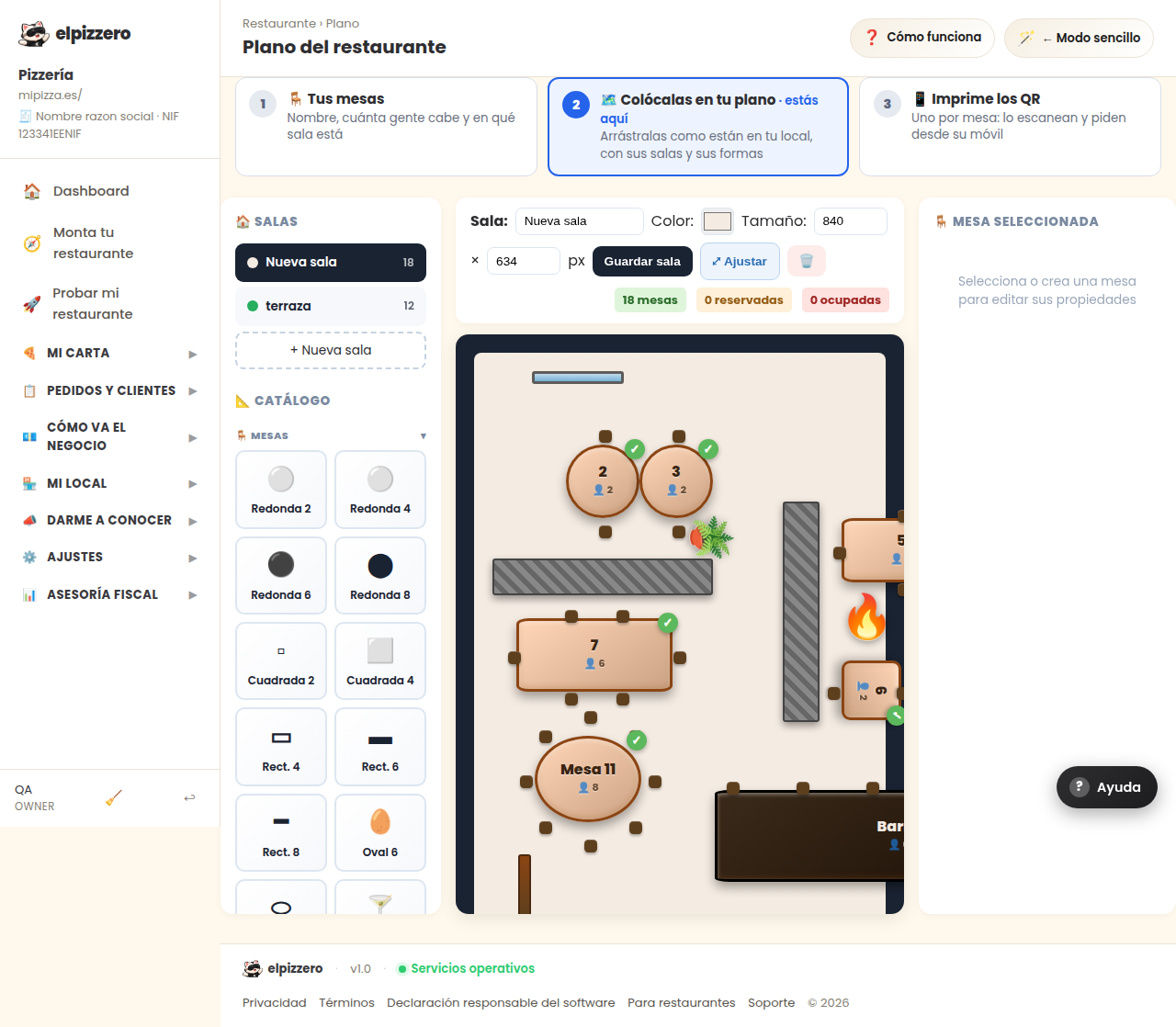
What it's for
Draw your room: the tables where they actually are, by rooms if you have more than one (terrace, dining room). Then, in the POS, you see that same layout and tap the table you want.
How to use it
Drag the tables from the catalog to the layout and place them. There are keyboard shortcuts to go faster. It's more convenient to do it on a computer, not on mobile.
It's optional: you can work with tables without drawing the layout.
View all buttons and fields on this screen
What you'll find on this screen
- 🏠 ROOMS
- 📐 CATALOG
- ⌨️ SHORTCUTS
- 🪑 SELECTED TABLE
What it asks for, field by field
| Field | Type | Detail |
|---|---|---|
| Name | text |
What each button does
| Button | What it's for |
|---|---|
| Save room | |
| 🗑️ | Delete room |