
Your delivery people
Register the delivery person to assign them orders from the POS.
What it's for
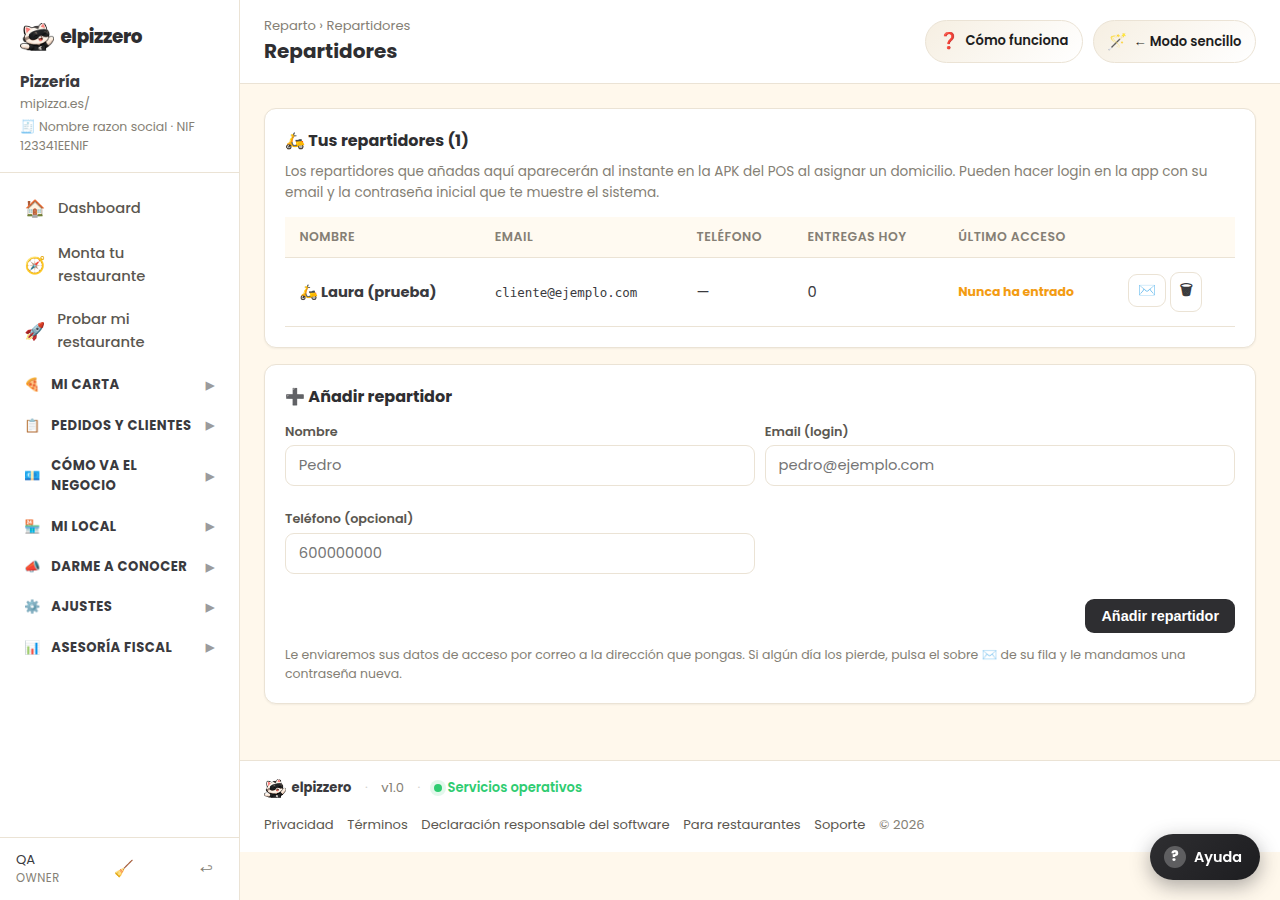
Whoever you add here appears instantly in the POS when you assign a delivery order. It helps to know who is carrying each order and to balance the money each one brings back.
How to add one
- Enter their name, an email, and, if you want, their phone number.
- Click “Add delivery person”.
- The system generates a password that you will see only once. Give it to them: with it, they can log into the app from their mobile.
The email is their username to log in, so it must be a real one. If a delivery person leaves, delete them from here: they will no longer be able to log in immediately.
View all buttons and fields on this screen
What you'll find on this screen
- 🛵 Your delivery people (0)
- ➕ Add delivery person
What it asks for, field by field
| Field | Type | Detail |
|---|---|---|
| Pedro | text | |
| pedro@ejemplo.com | ||
| 600000000 | phone |
What each button does
| Button | What it's for |
|---|---|
| Add delivery person |