
Table reservations (settings)
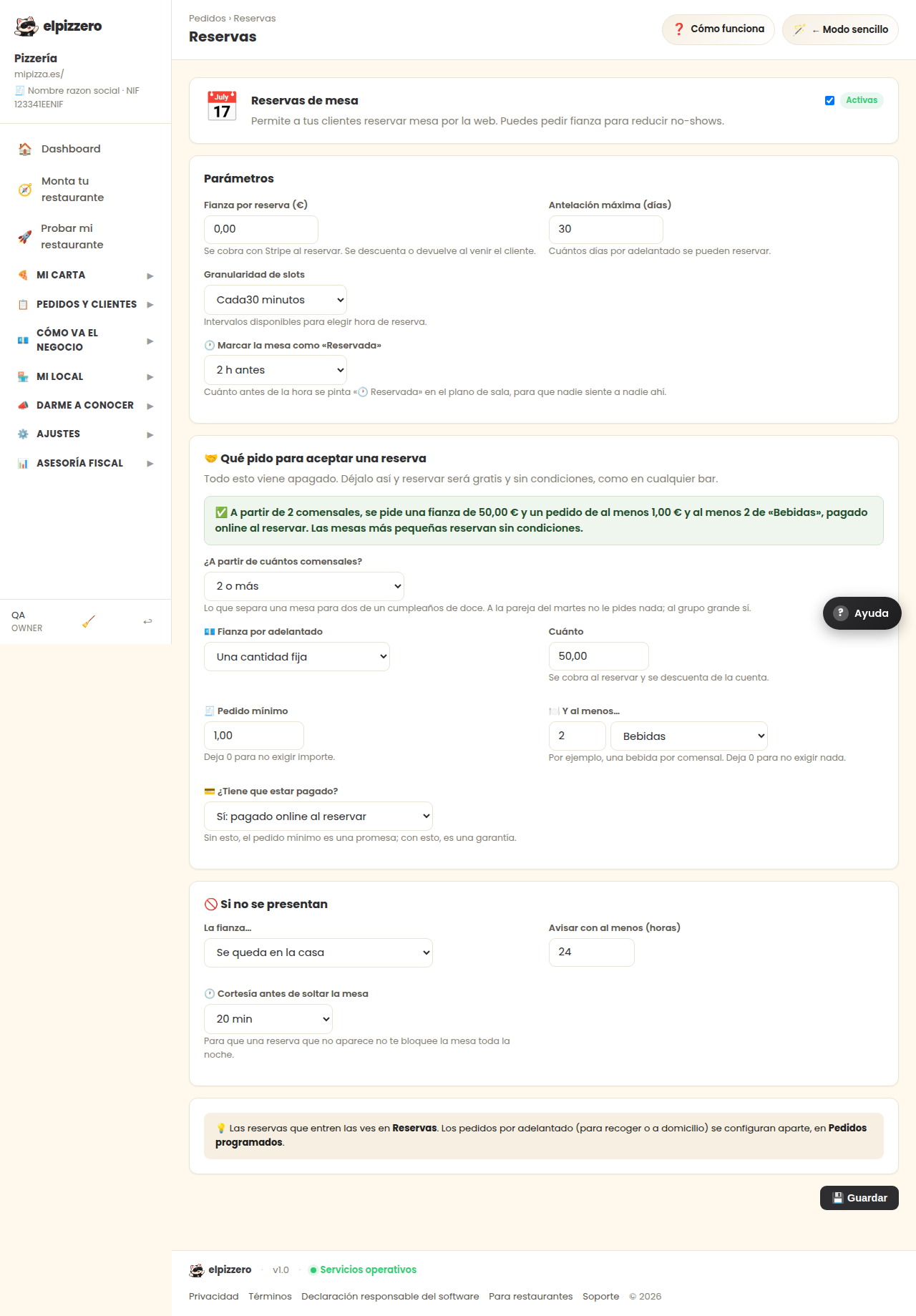
Allow reservations from your website, with optional deposit.
What it’s for
It activates online reservations and sets its conditions: how far in advance you can book and how many minutes there is availability.
The deposit
You can request an amount when booking, which is charged at the moment and is deducted or refunded when the customer arrives. It is for tables that are reserved and do not show up.
The deposit reduces no-shows but also scares away reservations. If you just started, keep it at zero and only set it if a lot of people fail to show.
View all buttons and fields on this screen
What you will find on this screen
- Table reservations
- Parameters
What it asks you, field by field
| Field | Type | Detail |
|---|---|---|
| Active | checkbox | |
| 0.00 | text | |
| reservation advance days | number | |
| reservation slot minutes | dropdown | Options: Every15 minutes, Every30 minutes, Every45 minutes, Every60 minutes |
What each button does
| Button | What it’s for |
|---|---|
| 💾 Save |